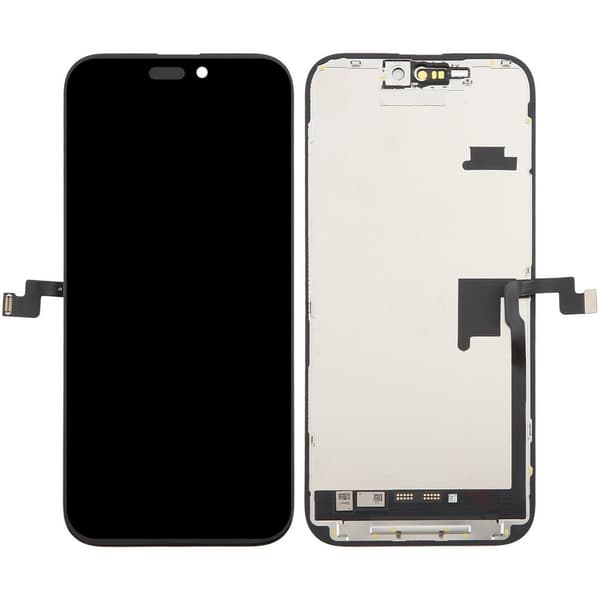
iPhone 16 Pro Max Screen with LCD Display - Black (Lifetime Warranty) Do you want a new iPhone 16 Pro Max screen? Repair a broken or scratched iPhone 16 Pro Max LCD with a quick screen replacement and restore your phone to new condition. You can easily and conveniently replace the iPhone 16 Pro Max screen with this spare part. Repairing the iPhone 16 Pro Max screen is easier than you might think and you can always use the repair video online. Buying your spare parts online and repairing yourself saves you both valuable time and money. By performing the iPhone 16 Pro Max screen replacement yourself, you also help save the environment. We have everything you might need when replacing the screen, such as adhesive tape for the iPhone 16 Pro Max display and tools to repair your iPhone. This screen also comes complete with LCD and glass for a complete repair of your iPhone 16 Pro Max. Stop walking around with a cracked screen or broken display, buy your spare parts today and get one step closer to giving your iPhone 16 Pro Max back its former glory. This iPhone 16 Pro Max screen is third-party manufactured and maintains the same high quality you are used to. Replace your iPhone screen without compromising on quality while saving you a lot of money and time than if you went to a repair shop. Lifetime warranty* Up to 50% lower power consumption Easy exchange Save money Third-party manufactured Specifications Product Type: Replacement Display Compatible with: iPhone 16PM/17PM Refresh rate: 120Hz Resolution: 1320*2868 Bonding technology: COF (Chip on Flex) True Tone: Yes Removable IC: Yes Brightness (cd/m²): 660 *The warranty covers touch and screen function, but not cosmetic defects. The warranty does not apply and is void if the screen has been dropped, worn, incorrectly assembled or exposed to external influences. Replace screen iPhone 16 Pro Max Important steps for a successful screen replacement: Turn off the phone. Loosen the bottom screws Detach the screen using a suction cup, opening tool, and a heat tool Disconnect flex cables for iPhone 16 Pro Max screen Loosen the screws for the speaker in the upper right corner. Carefully detach the sensor and the speaker flex cable Remove the metal plate that protects the display and disconnect all flex cables Prepare the new iPhone 16 Pro Max display by removing any protective film and seals Reinstall the LCD metal plate Attach sensor and flex cables to the call speaker Screw the speaker into place Attach new LCD tape so that the phone does not get damaged by moisture Connect the new iPhone 16 Pro Max screen to the frame Test the new screen by turning on your phone and trying to open apps. Then turn your phone off again. Install the display by pressing it into the frame Attach the bottom screws at the bottom of the phone, on each side of the charging port.