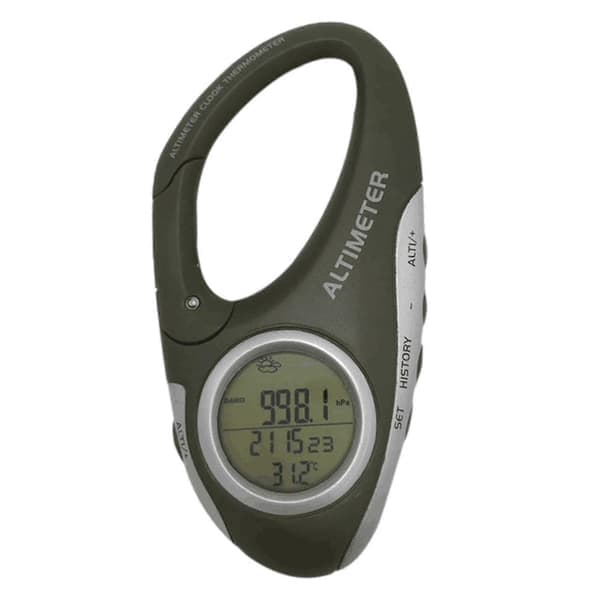
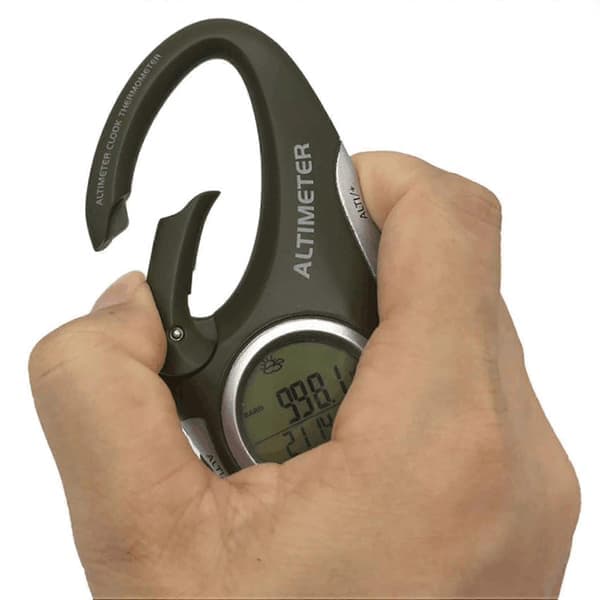
Barometer: The current barometric pressure is displayed on the screen immediately after power-on. Press the [ALTI/+] button to switch between barometer and altimeter.Altimeter: The altitude value displayed on the screen after power-on is the sea level altitude of the current location. In altimeter mode, press the [SET] and [ALTITUDE/+] buttons simultaneously, you can press [+] or [-] to change the current altitude value.Relative altimeter: The use of the relative altimeter is to reset the measured altitude value at this time, and use the position at this time as the 0M altitude point, and the altitude value rising or falling from the 0 altitude point is the relative altitude value.To reset the altitude value, press and hold the [ALTI/+] button until 0M is displayed at the bottom of the screen, then start moving, and the relative altitude value of the movement will be displayed on the screen. Press and hold the [ALTI/+] button again to switch back to the actual altitude value.Weather forecast: It can predict weather conditions within 12 to 24 hours when powered on, and the effective range is 30-50 km.1. Long press the [SET] button for 2 seconds, 24Hr flashes, press the [ALTI/+] button to switch between 24Hr or 12Hr2. Press the [SET] button to enter the time setting, at this time the hour digits flash, press [ALTI/+] or [-] to set the hour value3. Press the [SET] button to make the minutes flash, press [ALTI/+] or [-] to set the minutes4. Press the [SET] button to make the calendar year number flash, press the [ALTI/+] or [-] button to set the year value5. Press the [SET] button to make the calendar month number flash, press the [ALTI/+] or [-] button to set the month value6. Press the [SET] button to make the calendar date number flash, press the [ALTI/+] or [-] button to set the date value7. Press the [SET] button to make the temperature unit Celsius flash, press the [ALTI/+] button to switch between Celsius or Fahrenheit8. Press the [SET] button and the pressure unit HPA flashes, press the [ALTI/+] button to switch to the pressure unit HPA/inHg/mmHg9. Press the [SET] button to make the altitude unit M flash, press the [ALTI/+] button to switch between the altitude unit M or FEET10. When the setting is complete, press [HISTORY] to exit the setting mode, or automatically exit the setting without taking any action within 10 seconds.Color: Black GrayMaterial: ABSSize: 9 x 5 x 2cmPackage Contents:1 x Altimeter Barometer1 x English Manual1 x CR2032 Button Battery (not included)Only the above package content, other products are not included.Note: Light shooting and different displays may cause the color of the item in the picture a little different from the real thing. The measurement allowed error is +/- 1-3cm.