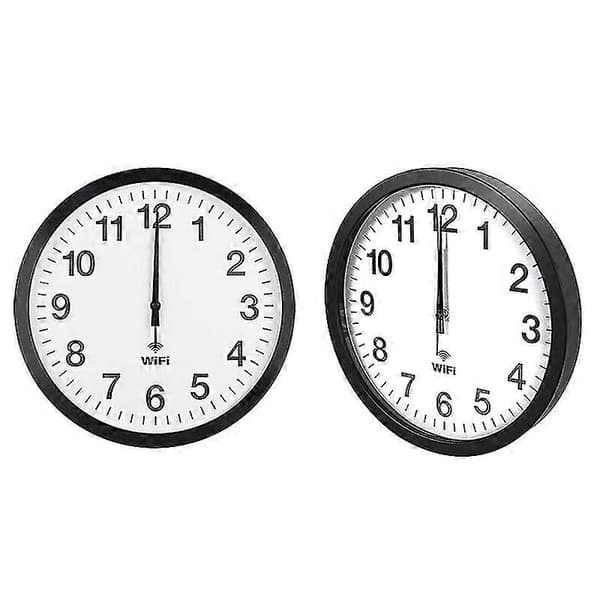
Automatic Time Synchronization Wifi Wall Clock 12 Inch Black
600 kr
600 kr
Fre, 30 okt - ons, 4 nov
30 dagars öppet köp
Inga avgifter tillkommer efter köpet
Betala direkt eller på faktura med Qliro
Produktbeskrivning
Details:
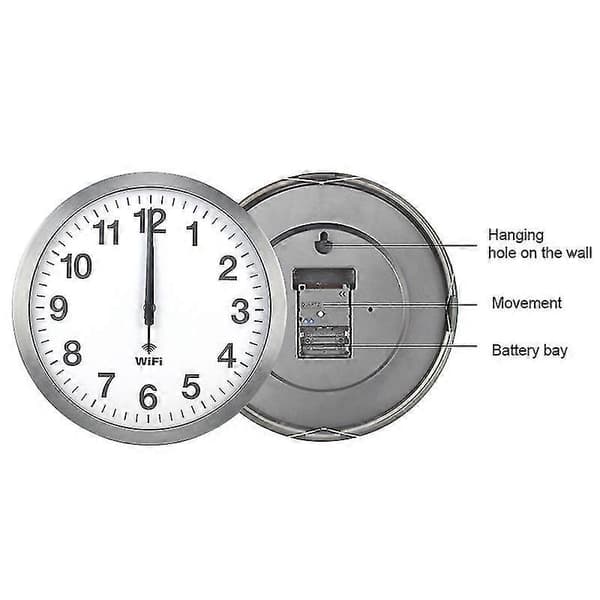
1. Material: metal shell, PVC mirror, ABS back panel, aluminum hands
2. Dimensions: 12 inch 30x30x4.1 cm, 14 inch 35x35x4.1 cm, 16 inch 40x40x4.5 cm
3. Weight: 12 inch 1300 grams, 14 inch 1600 grams, 16 inch 2200 grams
4. Power supply: 2 AA alkaline batteries (must be purchased separately)
5. Applicable scenarios: living room, bedroom, study, office, etc.
6. Features: beautiful and practical, painted hands, not easy to fade, uniform color, copper sleeve inlay, precise and firm, strong and durable, metal shell, aluminum alloy wire drawing process, exquisite workmanship, strong metal texture, WIFI automatic time synchronization, 0 am- 6 am the second hand automatically stops to save power
Instructions:
1. When using it for the first time, first turn on the mobile phone's wifi and pull out the white positioning pin on the back of the clock
2. Click on the phone \"Settings\"-\"Connections\"-\"WLAN\"
3. Insert the battery, after about 5 seconds, \"wificlock\" will appear in the \"WLAN list\" for 30 seconds
4. If \"wifi-clock\" does not appear, you can press the \"MSET\" button on the back of the clock (press and hold for about 5 seconds, repeat several times)
5. Click on wifi-clock
6. Follow the prompts to set up wifi
7. If you cannot set up wifi, you can click on \"wifi-clock\", then click on \"manage router\", or open \"192.168.4.1\" with your mobile browser and then set up wifi
8. After setting, the three hands will quickly return to zero and then automatically go to the correct time
9. After wifi is set, if you reinstall the battery without resetting wifi, the hand will automatically go to the correct time
10. If the time is not correct, you can press and hold REC to make the hand quickly return to zero and then adjust the time again, or reinstall the battery
11. Press and hold MSET, you can reset wifi, automatic time and time zone
Färg
Black
Artikel.nr.
85199d48-0b7e-4cb4-a5a4-b51edc61318b
Fyndiq har inget eget lager utan arbetar med enskilda butiker som lagerhåller produkter i och utanför Sverige, Europeiska unionen (EU) och Europeiska ekonomiska samarbetsområdet (EES).
Din beställning skickas från respektive leverantörs eget lager under alla helgfria vardagar. Så snart din beställning är skickad får du en leveransbekräftelse på mejl.
Produkterna levereras till dig inom 1-21 arbetsdagar, beroende på produkt, antingen direkt i din brevlåda eller till ditt närmsta ombud. Om du beställt produkter från olika butiker så skickas de i separata paket.
Beräknat leveransdatum ser du alltid på produktkortet och i din beställningsbekräftelse.
Snabbare leverans
Snabbare leverans, uppges på produkter vars beräknad leveranstid är mellan 1-3 arbetsdagar
Fraktkostnad
Frakten kostar endast 39 kr! Det tillkommer inga ytterligare frakt- eller leveranskostnader efter köpet.
Automatic Time Synchronization Wifi Wall Clock 12 Inch Black
600 kr
600 kr
Fre, 30 okt - ons, 4 nov
30 dagars öppet köp
Inga avgifter tillkommer efter köpet
Betala direkt eller på faktura med Qliro